Pollstar Tour History reports are stored in your pollstar.com account
You’ll find your purchased Tour History report in your Pollstar account dashboard.
Here’s how to get to it:
Go to pollstar.com and log in with your Pollstar credentials.
Click the user icon in the upper-right corner.
From the dropdown, choose Account Settings.
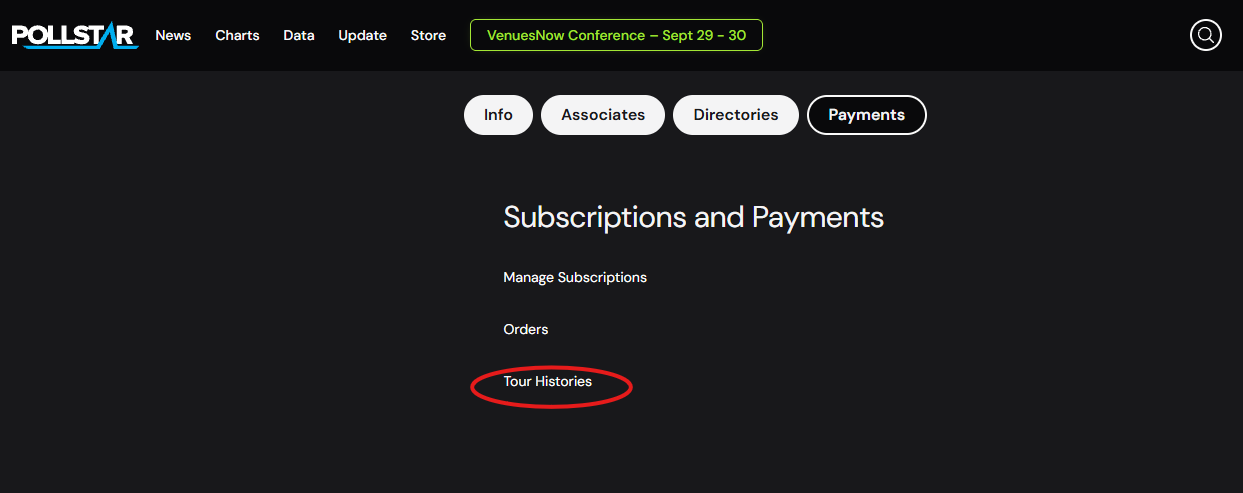
Scroll down to Subscriptions and Payments → Tour Histories.
Your Tour History purchase will be listed there, and the report is saved to your account dashboard for future reference. You can view it online or download it as PDF or Excel.
Was this article helpful?
That’s Great!
Thank you for your feedback
Sorry! We couldn't be helpful
Thank you for your feedback
Feedback sent
We appreciate your effort and will try to fix the article